Short answer: Cursor’s Free plan is enough to try its AI on a small project. In our test, it edited a file, answered a code question and suggested CSS, all on Free. The catch: Free showed only one AI model, Grok 4.7, and Cursor doesn’t publish how much free usage you get.
Tested on the Free plan. We ran one short session on November 14, 2026. No paid plan was part of our test. Anything we say about paid plans is based on Cursor’s official pages.
What to do next: Install Cursor and turn off Share Data on first login. Then give the Agent one small task in a copy of your project.
What we tested
In our test, we used the Linux desktop app (an AppImage, a single file you run without installing). The version was 3.30.14.
We used MDN’s public sample site, beginner-html-site-styled. We asked for three things:
- An Agent edit (the Agent is the AI mode that changes your files for you).
- An Ask question (the app describes Ask mode as “Answer questions without making edits”).
- A Tab suggestion (Tab completions are code suggestions you accept with the Tab key).
Our account was set up before the test, so we did not test the sign-up flow.
First login: Share Data was on
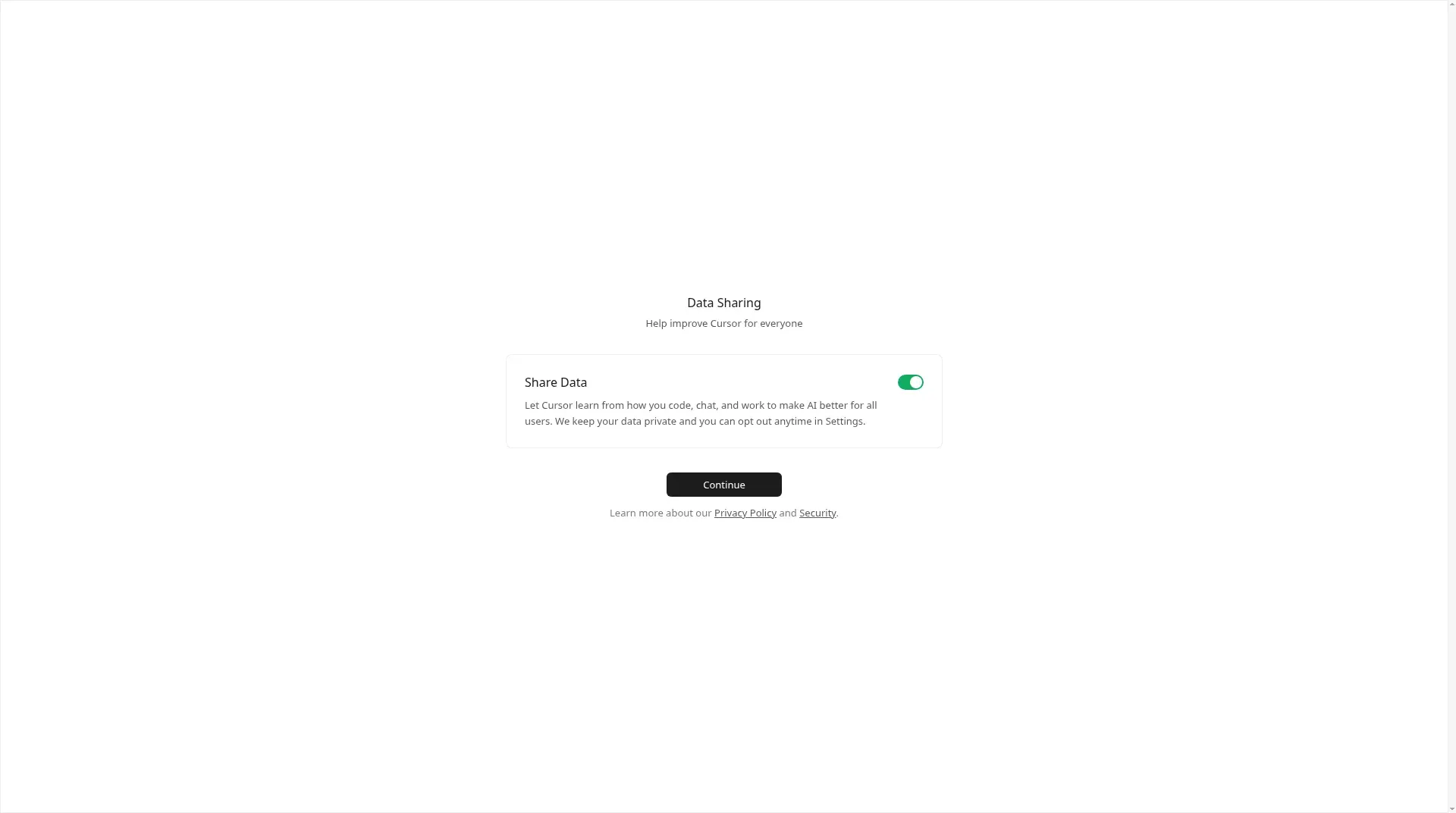
In our test, the first screen after login was “Data Sharing.” The Share Data switch was on by default.
The screen said: “Let Cursor learn from how you code, chat, and work to make AI better for all users.” We turned it off and clicked Continue.
Cursor’s terms say it won’t use your content to train AI models unless you’ve explicitly agreed. Its help center says Privacy Mode (a setting for keeping code out of training) “ensures your code is never used for training.” We didn’t test Privacy Mode. If you work on client code, check both settings first.
The Free model menu showed only Grok 4.7
In our test, the model menu showed “Grok 4.7” with a lock icon. Clicking it opened a popup. It said more models “are only available on paid plans,” with an “Upgrade to Pro” button. We did not click it.
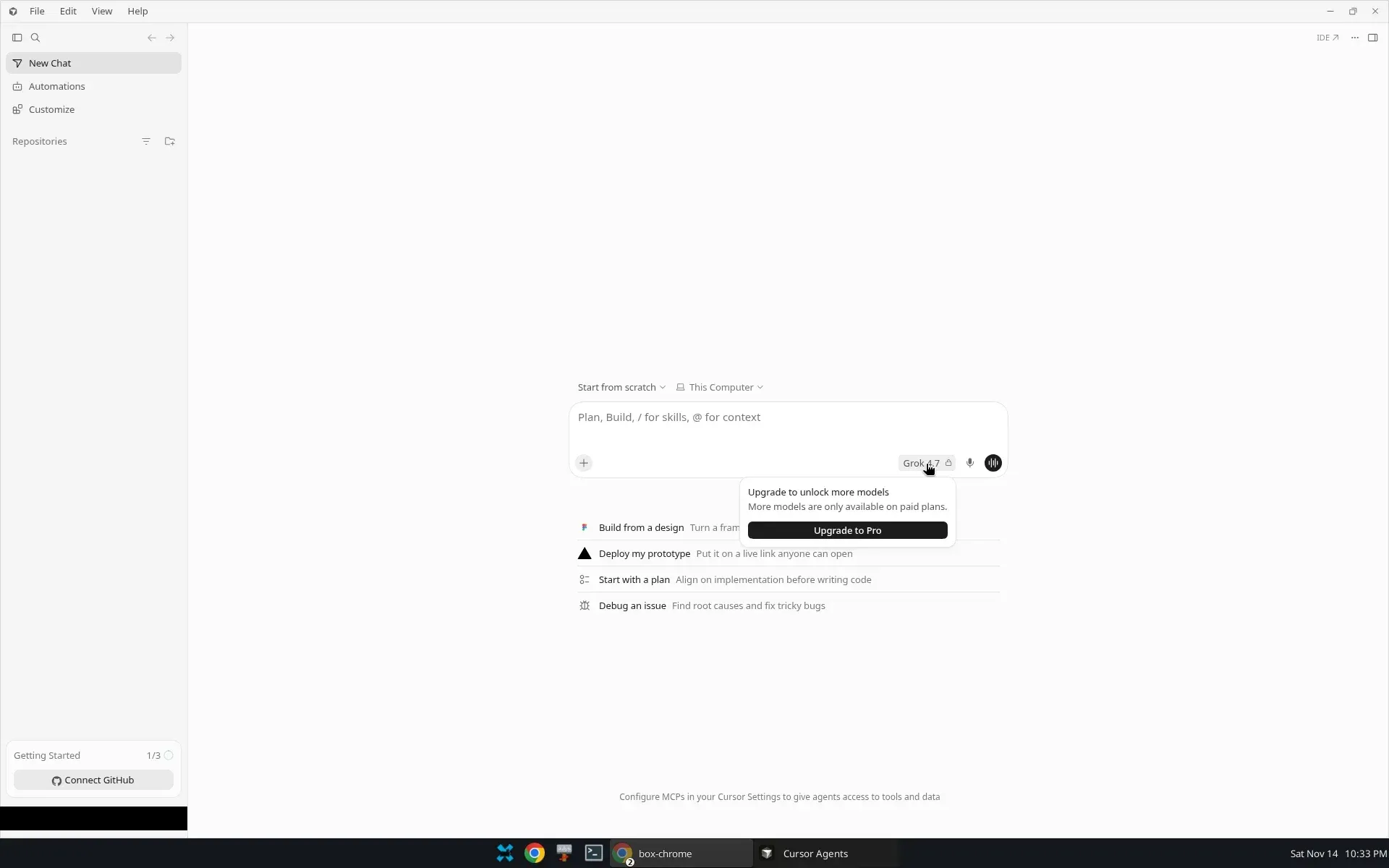
Cursor’s help center says Free uses “Cursor models (Grok and Composer).” In our test, we did not see Composer in the menu. In our test, we couldn’t switch models on Free, so we couldn’t compare answers from different AIs.
Agent: one small edit to index.html
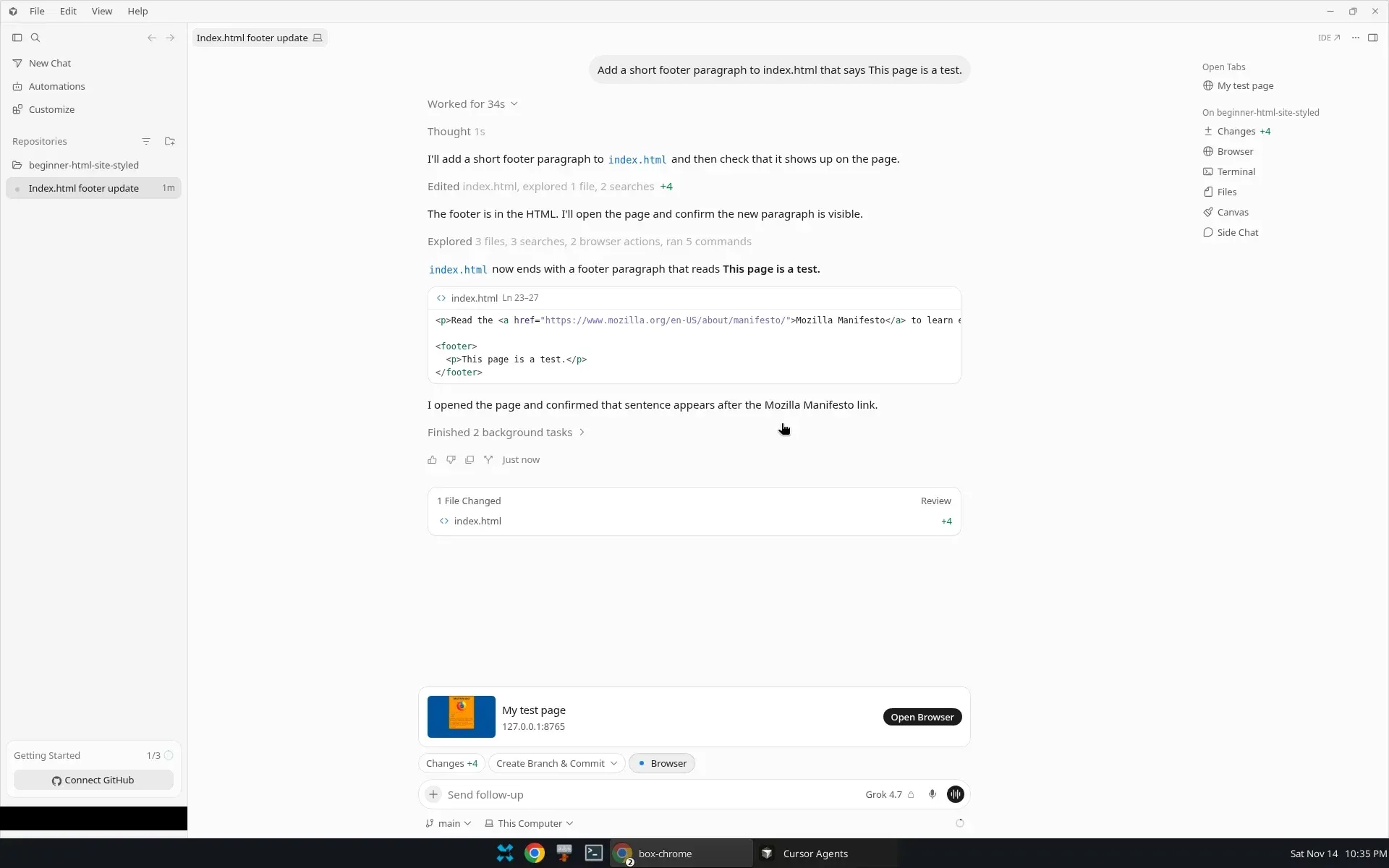
In our test, we asked the Agent: “Add a short footer paragraph to index.html that says This page is a test.”
The app showed “Worked for 34s.” It added four lines to index.html. Then it opened the page in its built-in browser to check the change. We saw no limit or upgrade message.
We undid the edit after the test.
Ask: a two-sentence answer about the CSS file
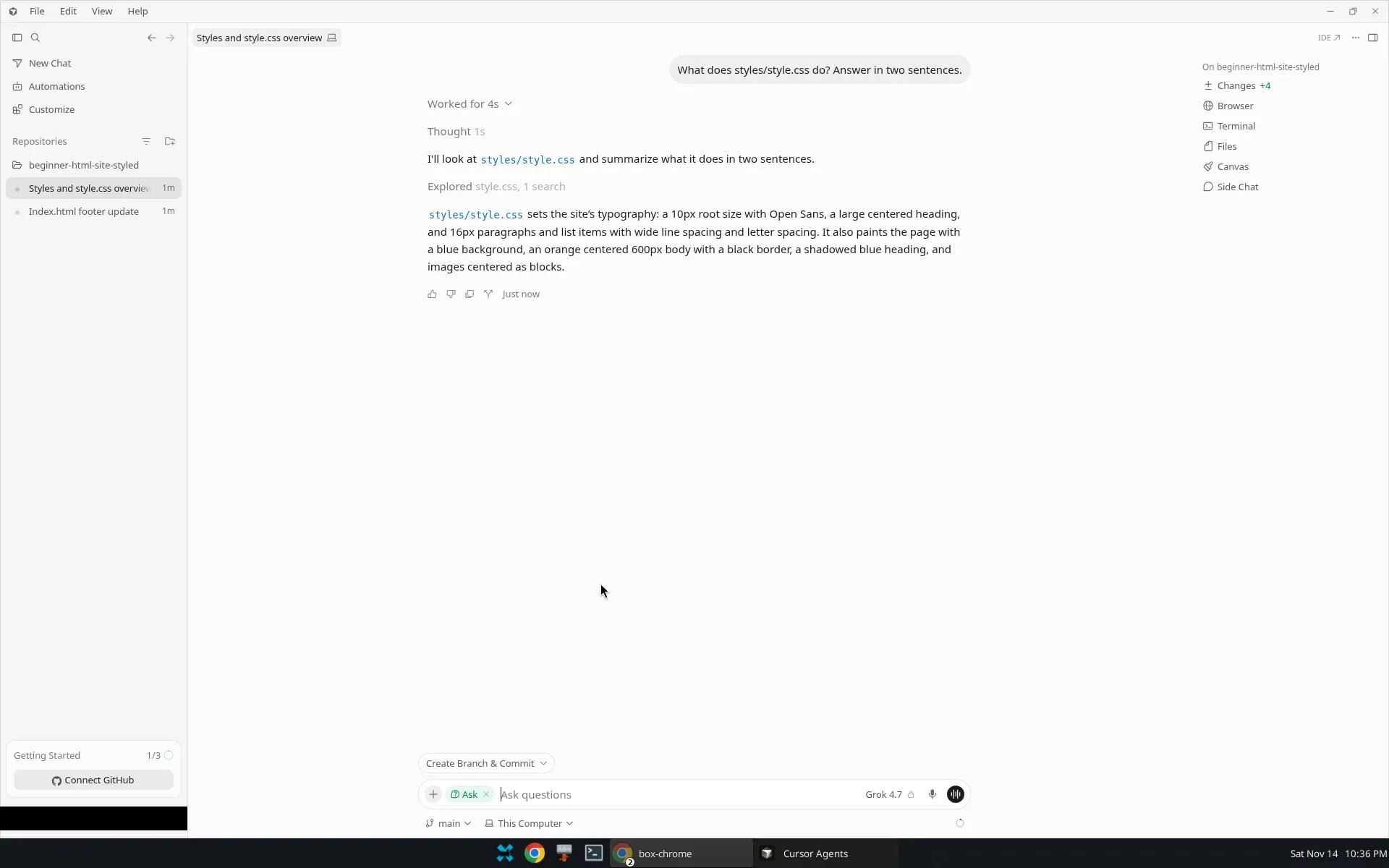
In our test, we asked: “What does styles/style.css do? Answer in two sentences.”
The app showed “Worked for 4s.” It answered in two sentences. The answer described the file’s fonts, background and layout correctly.
Tab: a full CSS rule from footer {
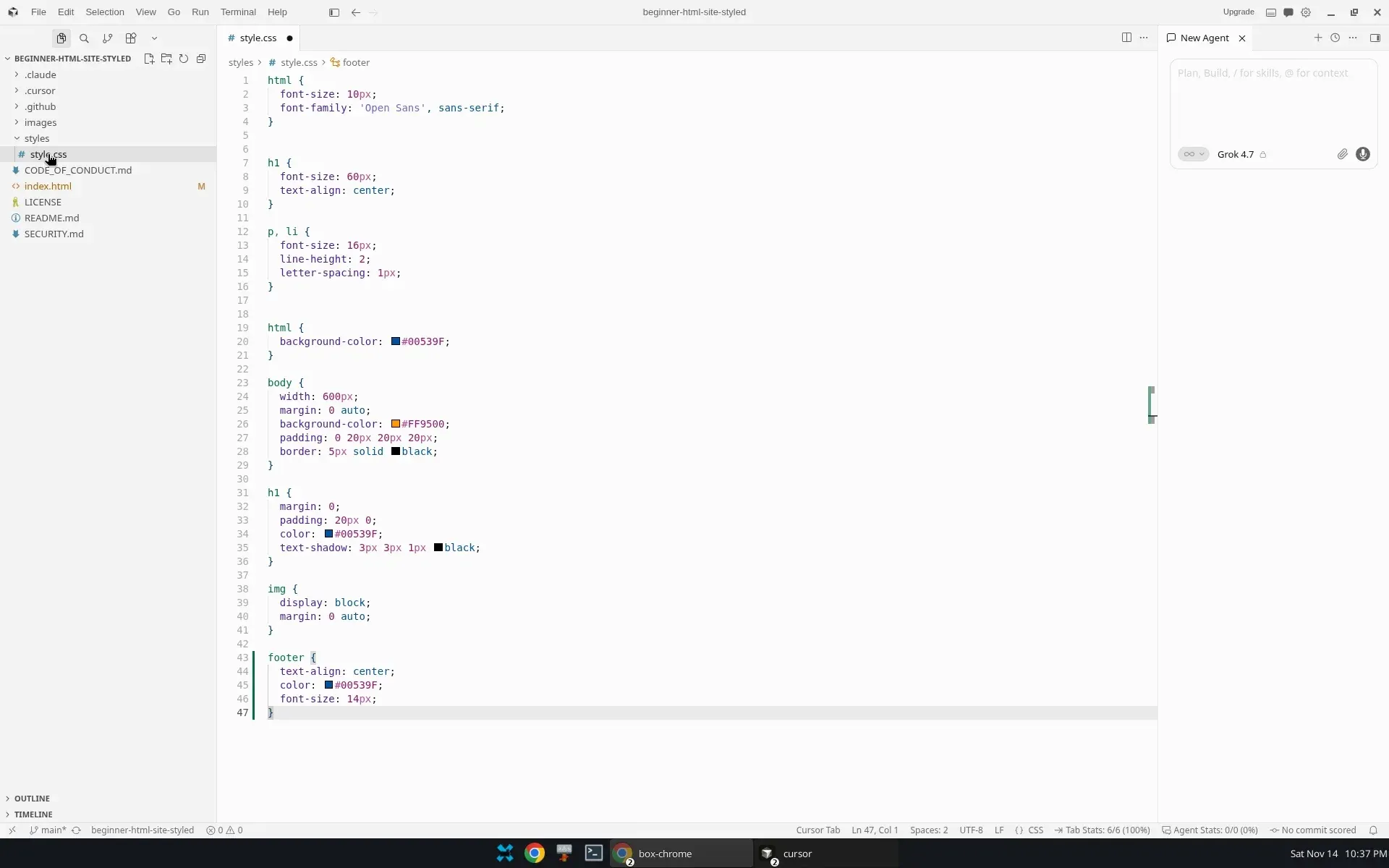
In our test, we typed footer { on a new line in style.css. Cursor suggested a full rule: footer { text-align: center; color: #00539F; font-size: 14px; }.
We pressed Tab to accept it. We did not save the file.
How much free usage did that use?
In our test, the dashboard showed 0% used before we started. After the Agent edit and the Ask question, it showed 12% used. The Tab suggestion did not change that number.
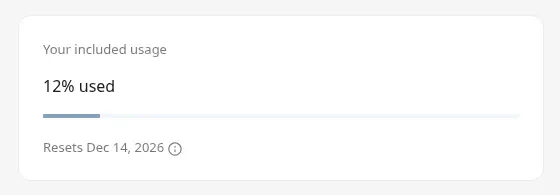
That’s one sample on one tiny project. We can’t tell you how many tasks Free covers. The exact number of requests or credits is Not listed.
Pricing plans
Free
$0/mo
Last checked: 2026-11
- Limited AI usage
- Limited agent requests
- Limited Chat requests
Plus
$8/mo
billed monthly; $80/yr billed yearly per the help center. Last checked: 2026-11
- Usage: Shared (card), Basic (table), Base (help center)
- Only Grok models (pricing page)
- No Cloud agents or Bugbot
Premium
$30/mo
billed monthly; $300/yr billed yearly per the help center. Last checked: 2026-11
- 4x more usage compared to Plus
- Cloud agents & automations
- Third-party models at API list price
Super
$100/mo
billed monthly; $1,000/yr billed yearly per the help center. Last checked: 2026-11
- 15x more usage compared to Plus
- Priority model access at peak times
Ultra
$200/mo
billed monthly (comparison table only); $2,000/yr billed yearly per the help center. Last checked: 2026-11
- 50x Plus usage
These are regular prices from Cursor’s pricing page, rechecked on November 14, 2026. Prices exclude taxes and fees, per the page. Last checked: 2026-11.
- Free: $0/month.
- Plus: $8/month.
- Premium: $30/month, marked “Most popular.”
- Super: $100/month.
- Ultra: $200/month. It appears only in the comparison table, not as a plan card.
- Teams: the pricing page says “$30+/user/month.” The help center says “$30, $100, or $200 per seat/mo.”
- Enterprise: Custom.
Yearly billing. The pricing page has no yearly toggle and lists no yearly prices. The help center lists $80/yr for Plus, $300/yr for Premium, $1,000/yr for Super and $2,000/yr for Ultra. A monthly price for yearly billing is Not listed. Cursor’s referral help page separately says, “Yearly plans offer a 20% discount.” Teams and Enterprise yearly prices are Not listed.
Plus usage is described three ways. The Plus card says “Shared AI usage pool.” The comparison table says “Basic.” The help center says “Base.”
Plus models are described two ways. The pricing page says “Only Grok models are available on this plan.” The help center lists “Grok 4.7, Grok 4.6, Grok 4.5, and Composer 2.5” for Plus.
Usage pool size. Premium lists “4x more usage compared to Plus,” Super 15x and Ultra 50x. The actual size of any pool is Not listed. So is the number of Free Agent, Chat or Tab requests.
When the allowance resets. The pricing FAQ says, “Your allowance refreshes weekly.” In our test, the Free dashboard showed “Resets Dec 14, 2026.” If you plan around the free allowance, check the reset date on your own dashboard first.
Running out. The pricing FAQ says you can “keep going with top-offs, or wait for your allowance to refresh.” The help center calls them “top-ups.” Top-off prices are Not listed on the pricing page. Third-party models (AI models from other companies) cost extra at API list price.
Cancelling. The pricing page says to cancel “at least 24 hours prior to renewal.” The pricing FAQ has no refund question.
Pros and cons
Cursor
Our choicePrice: Free $0/mo; Plus $8/mo; Premium $30/mo; Super $100/mo; Ultra $200/mo · Last checked: 2026-11
Pros
- In our test, Agent, Ask and Tab all worked on Free
- In our test, the Agent checked its own edit in a built-in browser
Cons
- In our test, Free showed only Grok 4.7 in the model menu
- Exact free usage is Not listed
- In our test, Share Data was on by default
- No Cloud agents, Bugbot or third-party models on Free (pricing table)
- Best for
- Anyone who wants to try an AI coding editor on a small project before paying.
- Skip it if
- Anyone who needs to choose the AI model, or needs to know the exact free allowance up front.
Who should use Cursor Free
Use Free if you want to see an AI editor make a small change before you pay. In our test, all three AI features worked on a tiny project.
Skip Free as a long-term plan if you need a choice of models. In our test, Free was locked to Grok 4.7.
Don’t judge paid plans from our test. We tested Free only. Cursor’s pricing FAQ recommends Premium for new AI users and Super for daily agent users.
Cursor’s desktop app runs on macOS, Windows and Linux, per its download page. Its terms require users to be at least 18, or the age of majority where they live, whichever is higher.
What we didn’t test
- Any paid plan, including Plus and Premium
- Composer and third-party models
- Background and Cloud Agents (agents that run in the cloud)
- Bugbot (Cursor’s code review tool)
- How usage adds up after many tasks, and what happens when Free runs out
- Privacy Mode
- Connecting GitHub or GitLab
- The macOS and Windows apps, and the sign-up flow
- A large or real-world codebase
Alternatives
Compare plans and editors in our coding assistants roundup.
Also covered in our coding assistants roundup.
Want to compare Cursor with other coding tools side by side? Read the best AI coding assistants. Choosing between the chat models behind these tools? See ChatGPT vs Claude vs Gemini.